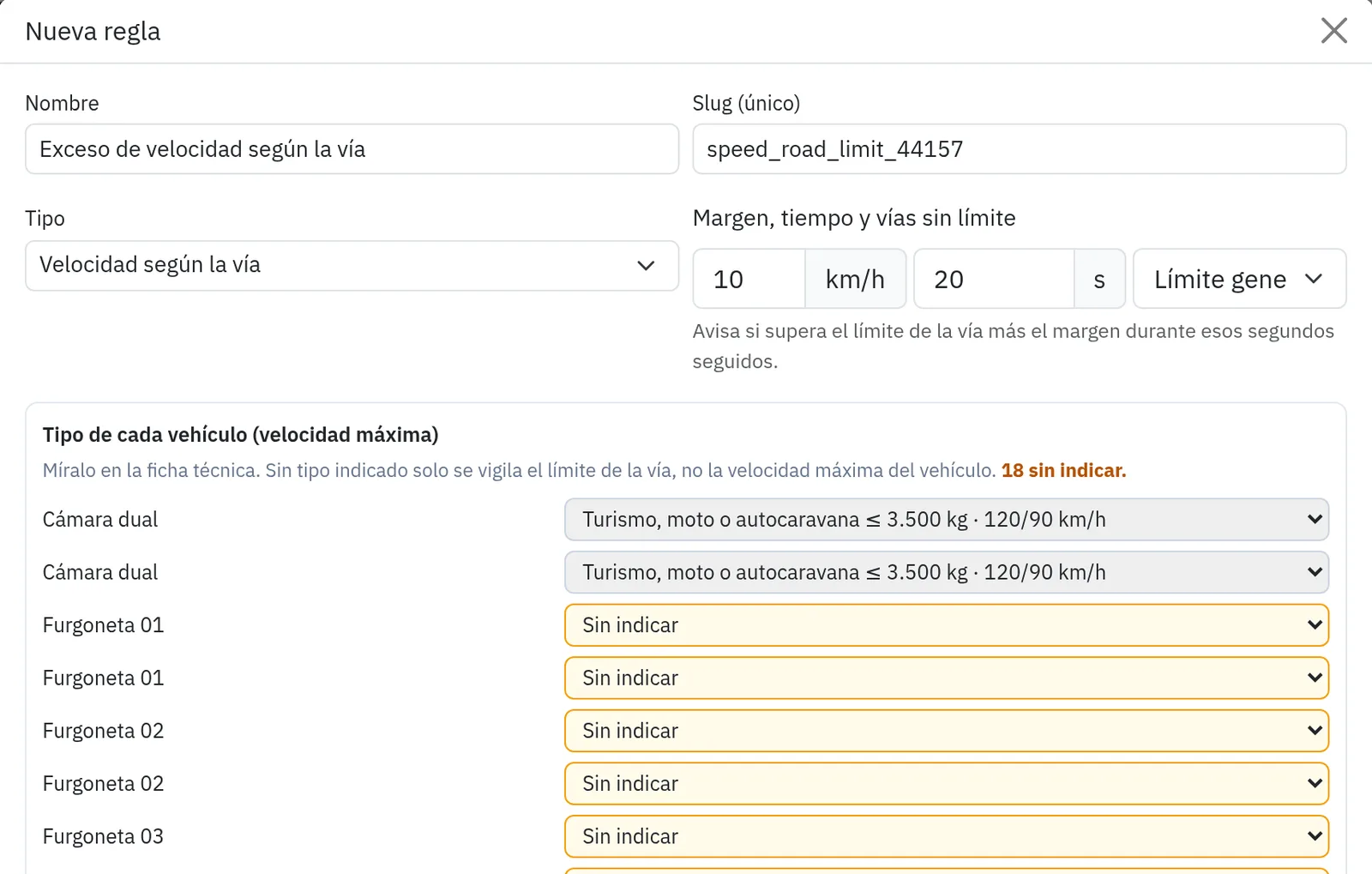
Speeding based on the road
It alerts you when a vehicle goes over the limit of the road it’s on. You can set a margin and a grace period, and it always respects the maximum for that type of vehicle.
Available in the Balearic Islands
Alerts · Notifications
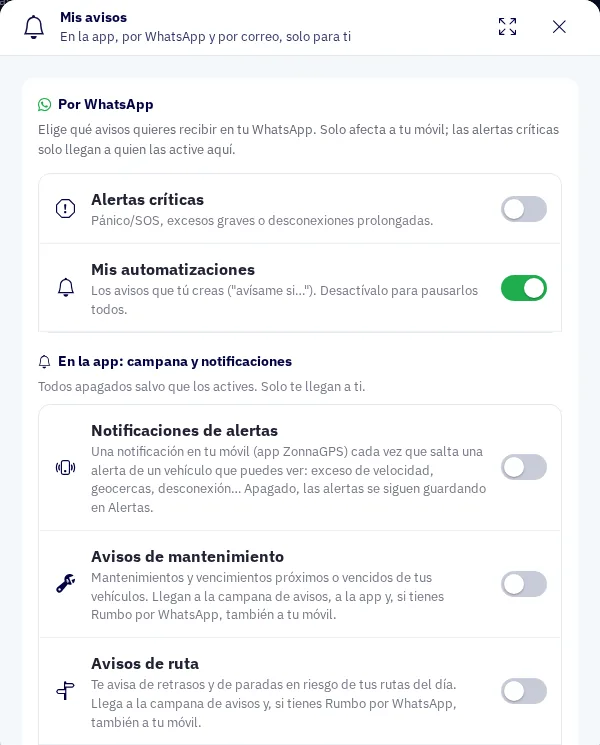
Each person gets only the notifications that matter to them, where they want them: on their phone, by email or on WhatsApp.
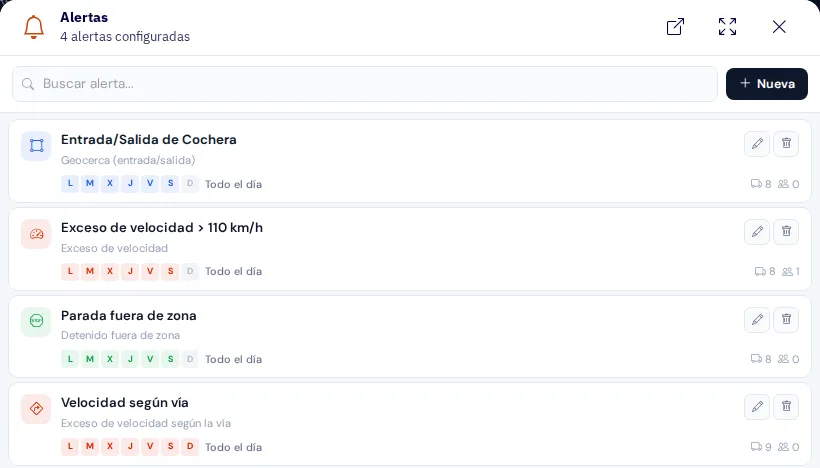
What you can do
It alerts you when a vehicle goes over the limit of the road it’s on. You can set a margin and a grace period, and it always respects the maximum for that type of vehicle.
Available in the Balearic Islands
The alert is triggered when a cargo probe goes out of range. It only monitors the cargo probes, not the engine one, and by default it is a critical alert.
You can create or change the range by talking to Rumbo, the ZonnaGPS assistant: “it’s frozen goods today, let me know if it goes above −18”.
The panic button and critical alerts reach every user who turns them on via WhatsApp. Even if they’re away from the screen, they’ll know.
Each user decides what they receive and how: phone notification, email or WhatsApp. It covers:
Notifications arrive even when the app is closed, and tapping one opens the vehicle.
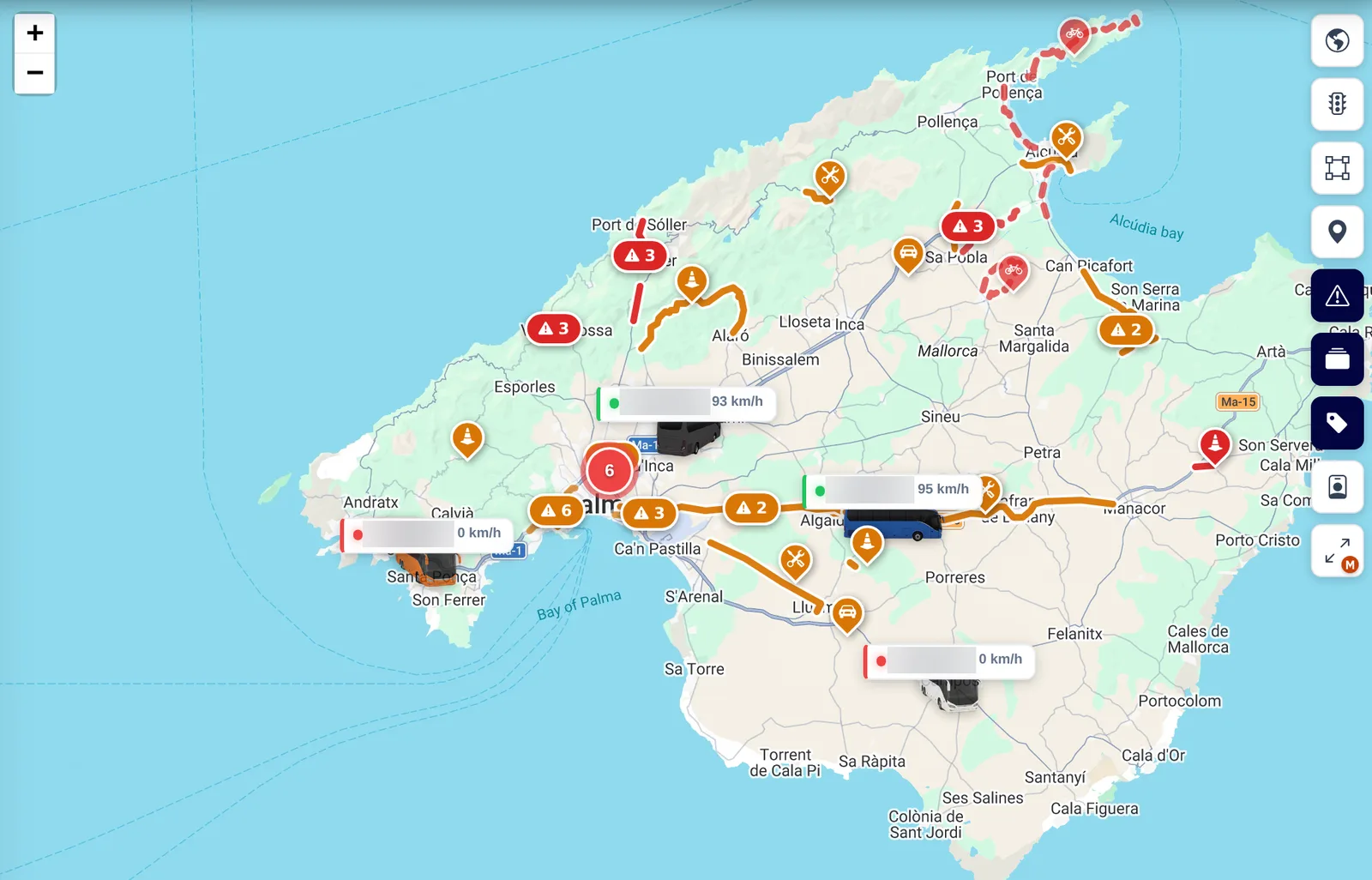
See road closures, roadworks and congestion across Spain on the map, as well as those from the Consell de Mallorca, updated every 3 minutes.
How it works
Road-specific speed limits, cargo temperature, panic button and all the other alerts.
In “My notifications”, each user picks phone, email or WhatsApp.
Tap the notification, even if the app is closed, and the vehicle opens.
FAQs
It is currently available in the Balearic Islands. It alerts you when a vehicle goes over the road’s limit, with a margin and grace period, and respecting the maximum for its type of vehicle.
No. It only monitors the cargo probes and is triggered when one goes out of range. By default it is a critical alert.
Yes. You can create or change the range by telling Rumbo, for example: “it’s frozen goods today, let me know if it goes above −18”.
Yes. In “My notifications”, each user chooses what they receive by phone notification, email or WhatsApp: alerts, routes, maintenance, drivers and the DeCA load.
Yes. With the iButton key there is a log of every time an accessory is armed, disarmed or triggered, with its duration, the location and who did it.
Contact
Ask for more information, request a free demo or get started with us.
Geofence How fast can you get your fleet under control?
Inside: 0/7Congratulations!
Fleet under control in 0 sec.
Your prize: free delivery
One use per customer in the ZonnaGPS online shop.