API with read and write keys
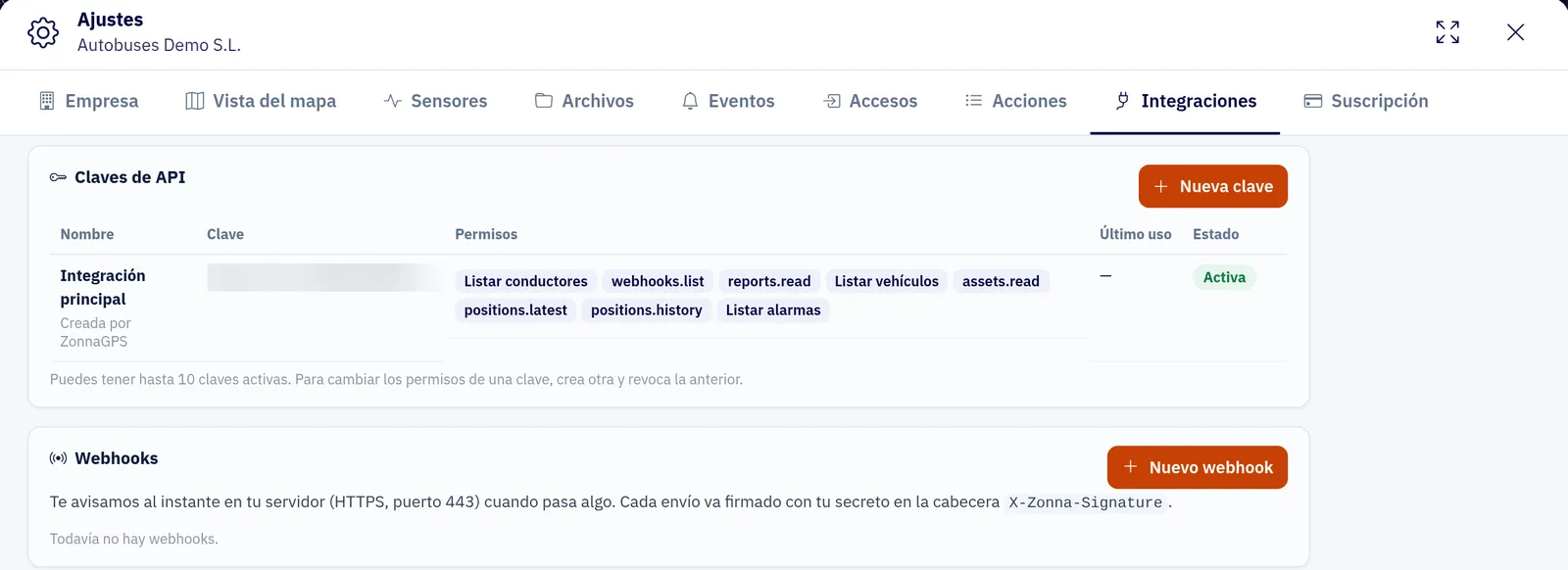
Create API keys to read fleet data or write to it from your ERP. With write access you can manage:
- Drivers
- Places
- Geofences
- DeCA (Spain’s electronic transport control document) drafts

Integrations · API, webhooks, Power BI and AI
API, signed webhooks, Power BI and Excel, and a connector for Claude and ChatGPT. Built for IT and ERP teams.
What you can do
Create API keys to read fleet data or write to it from your ERP. With write access you can manage:
Receive events in your system as soon as they happen, without constantly polling the API. Each delivery is signed so you can check it comes from ZonnaGPS. There are webhooks for:

Connect Power BI or Excel to your ZonnaGPS data with a direct link and build your own dashboards, without exporting or copying files by hand.

With the connector, customers query their fleet from their own AI assistant, Claude or ChatGPT.
It works in read-only mode: the assistant can look things up but cannot change anything. It requires Rumbo, the ZonnaGPS assistant.
How it works
API, webhooks, a data link for Power BI and Excel or the connector for Claude and ChatGPT.
Generate read or write keys, or register the URL that will receive the webhooks.
Your ERP, your reports or your assistant receive the fleet data.
FAQs
With a write key you can manage drivers, places, geofences and DeCA drafts. There are also read-only keys.
Alerts, geofences, DeCA and devices not reporting. Each delivery is signed.
With a direct data link to your ZonnaGPS data.
No. It works in read-only mode: customers query their fleet from their own assistant. It requires Rumbo.
Contact
Ask for more information, request a free demo or get started with us.
Geofence How fast can you get your fleet under control?
Inside: 0/7Congratulations!
Fleet under control in 0 sec.
Your prize: free delivery
One use per customer in the ZonnaGPS online shop.