Routes and deliveries · Proof of delivery

Well-planned deliveries, and every drop signed for.

Sequence the stops for your whole fleet, send the route to the driver and check what was delivered and what wasn’t.

Optional add-on module

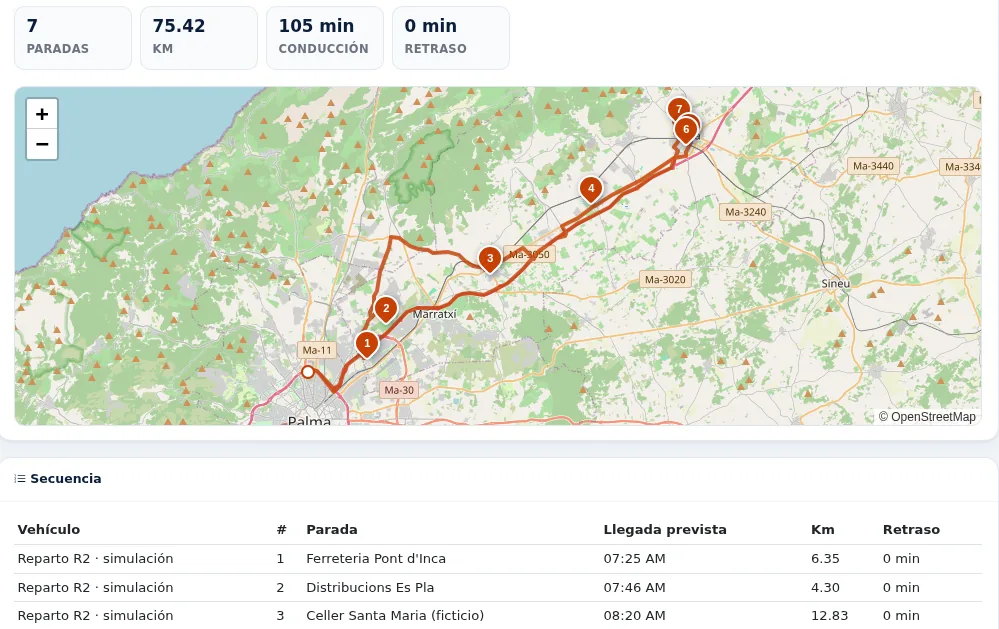
Delivery route in ZonnaGPS with 7 numbered stops on the Mallorca road map, km and driving time, and the stop sequence with estimated arrival times

What you can do

Everything you can do with Routes and deliveries

Stops in a sensible order

The planner puts the stops in order for you and shares the work across several vehicles at once. It takes into account:

  • Each customer’s time windows
  • Vehicle capacity, in the unit you choose for each route: kg, pallets or packages
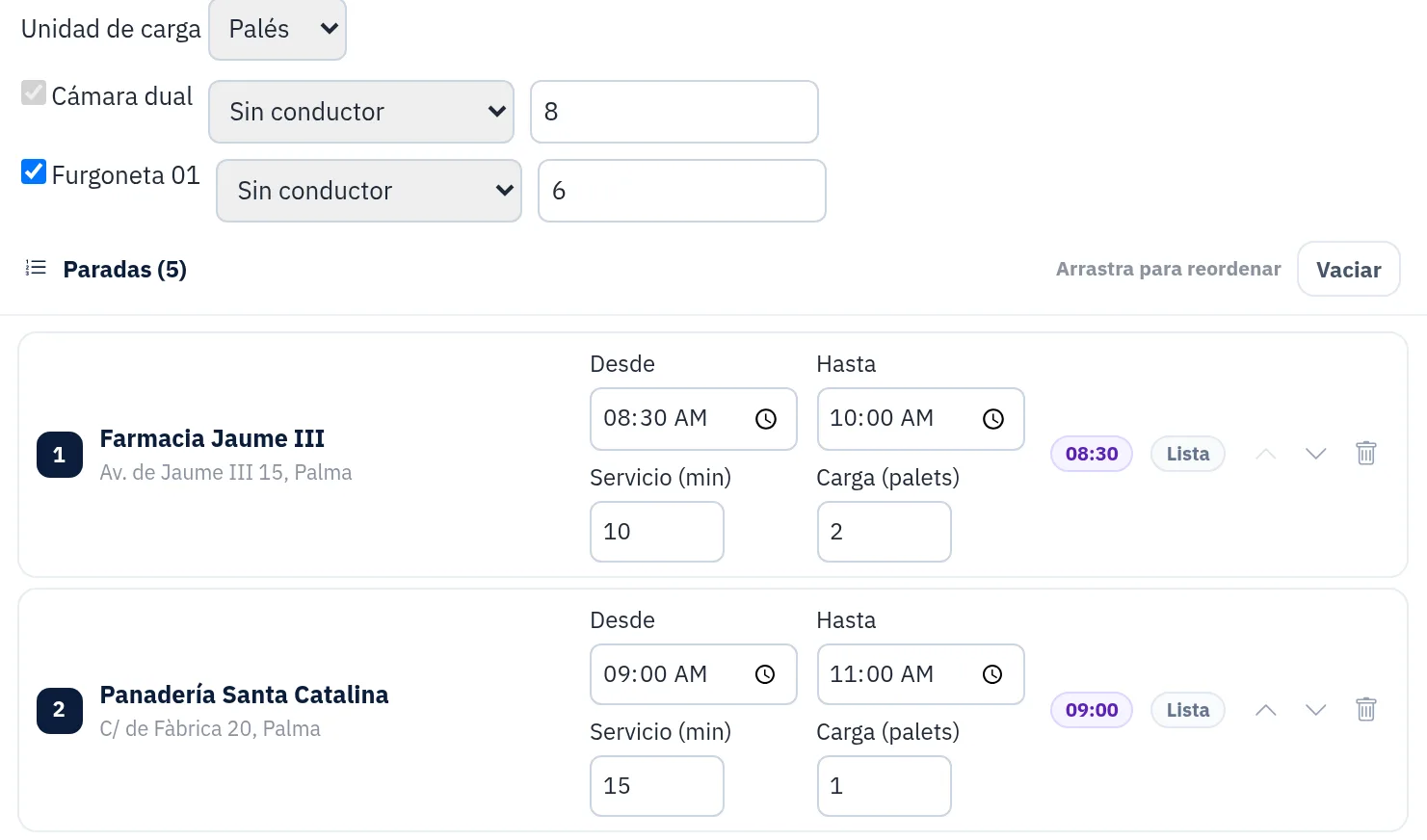
Route planning in ZonnaGPS: load unit set to pallets with each vehicle’s capacity, and stops with their from–to time window, service time and load in pallets

Load stops from an Excel file

No need to type in the stops one by one. Upload your Excel file and the stops are ready to plan.

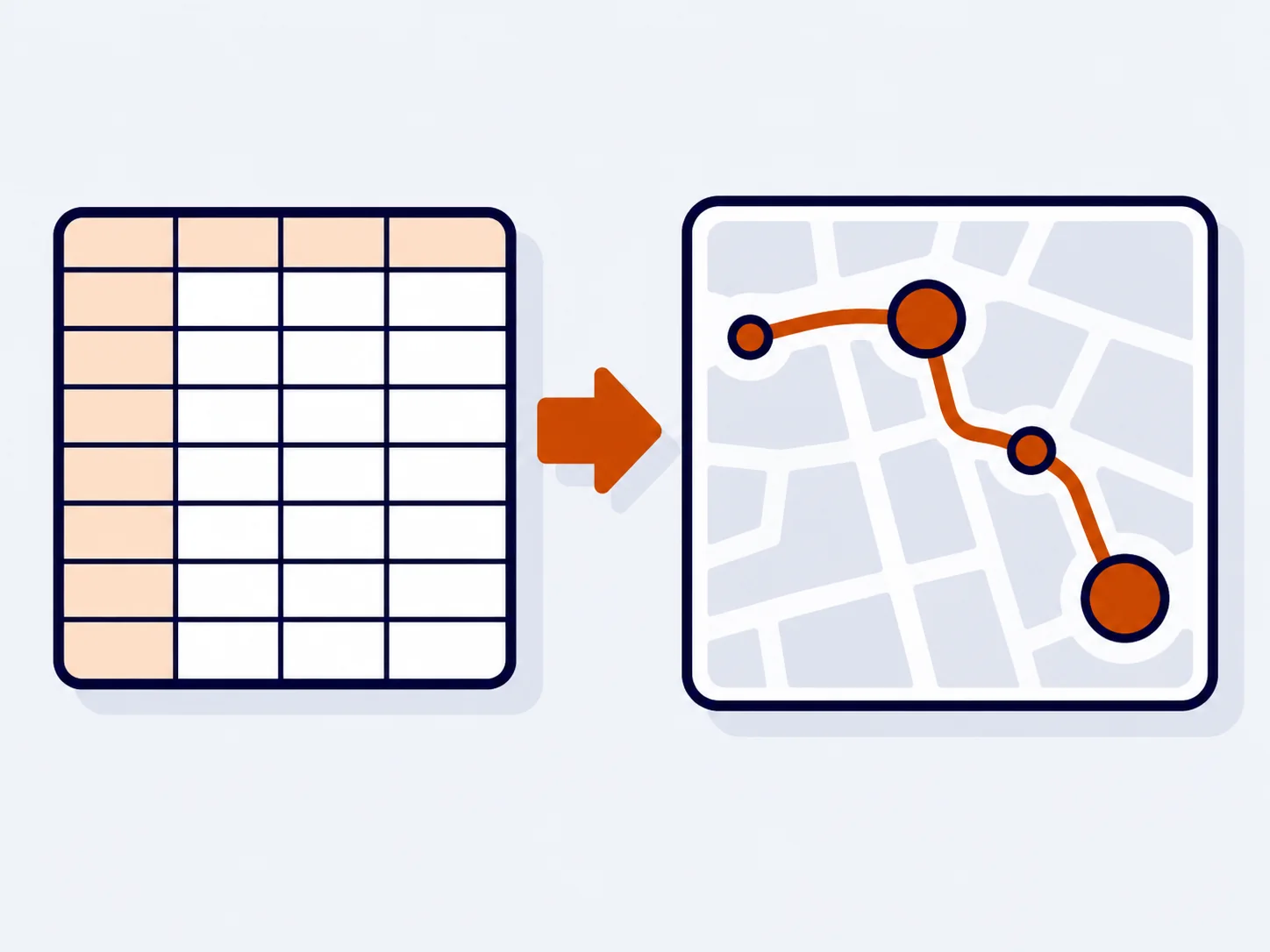
Illustration: spreadsheet of stops turned into a route on the map

The driver’s run sheet, on their WhatsApp

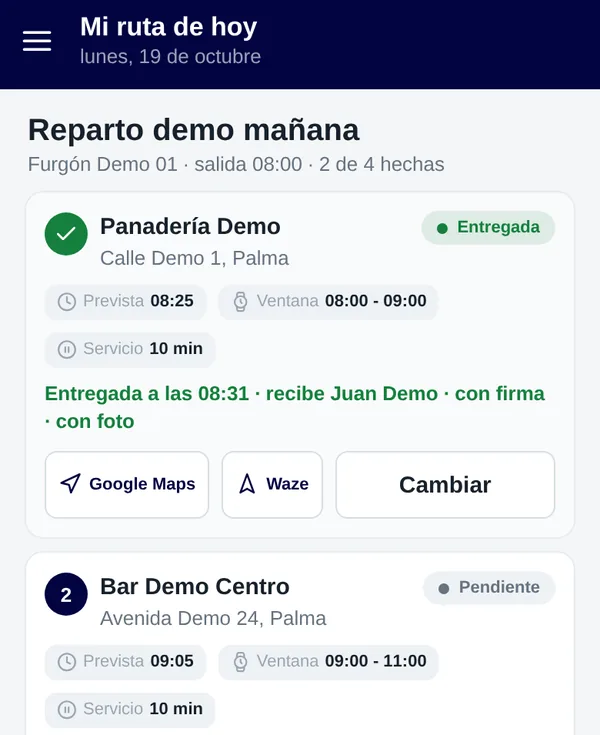
Each driver gets their run sheet on WhatsApp. In the driver app it’s under “My route today”, with the stops in order.

“My route today” screen in the driver app, with the stops in order, estimated time, time window and Google Maps and Waze buttons

Proof of delivery, even without signal

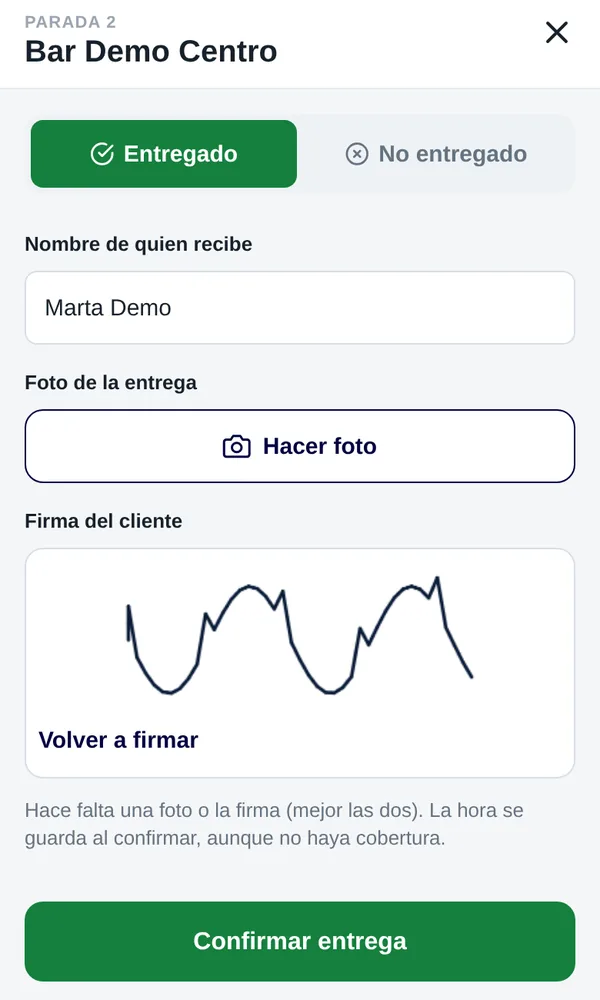
At each drop, the driver records who received it and adds a photo and a signature drawn with a finger. It works even when there’s no signal.

  • Recipient’s name
  • Photo of the delivery
  • Signature drawn with a finger on the phone
Driver app recording a delivery: recipient’s name, button to take the photo and the customer’s signature drawn with a finger

Plan versus actual

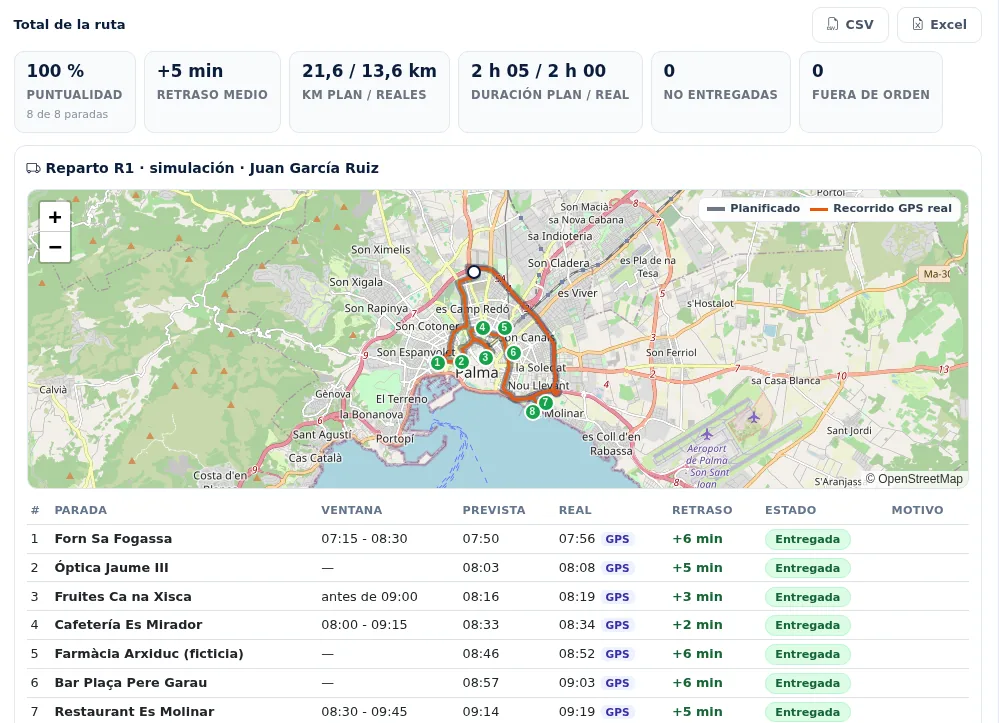
Compare what was planned with what actually happened, by vehicle and by driver: punctuality, average delay, planned versus actual km, and deliveries made and missed. You can export it.

Rumbo, the ZonnaGPS assistant, also alerts you to delays and to stops at risk.

Plan versus actual report for a route: punctuality, average delay, planned and actual km and duration, planned route and actual GPS track on the map, and planned and actual time at each stop, with export to CSV and Excel

How it works

In 3 steps

  1. Load the stops

    From an Excel file, with their time windows and load.

  2. Optimise and send

    The planner shares out and sequences the stops, and each driver gets their run sheet on WhatsApp.

  3. Deliver and compare

    The driver gets each delivery signed for in the app and you see plan versus actual.

FAQs

What people ask us most

What does the planner take into account when ordering the stops?

The time windows for each stop and the vehicle’s capacity, measured in one unit per route: kg, pallets or packages. It can also plan several vehicles at once.

Can I import stops from an Excel file?

Yes. Stops can be loaded from an Excel file, so you don’t have to enter them one by one.

How does the driver get their route?

The run sheet arrives on WhatsApp, and it’s also in the driver app under “My route today”.

Does proof of delivery work without signal?

Yes. The driver can record the recipient’s name, a photo and a finger-drawn signature even without signal.

Are routes and deliveries included in every plan?

It’s an optional add-on module. Book a demo and we’ll explain how to add it to your account.

Contact

Ready to get started?

Ask for more information, request a free demo or get started with us.

Geofence How fast can you get your fleet under control?

Inside: 0/7