Your fleet’s score, out of 100
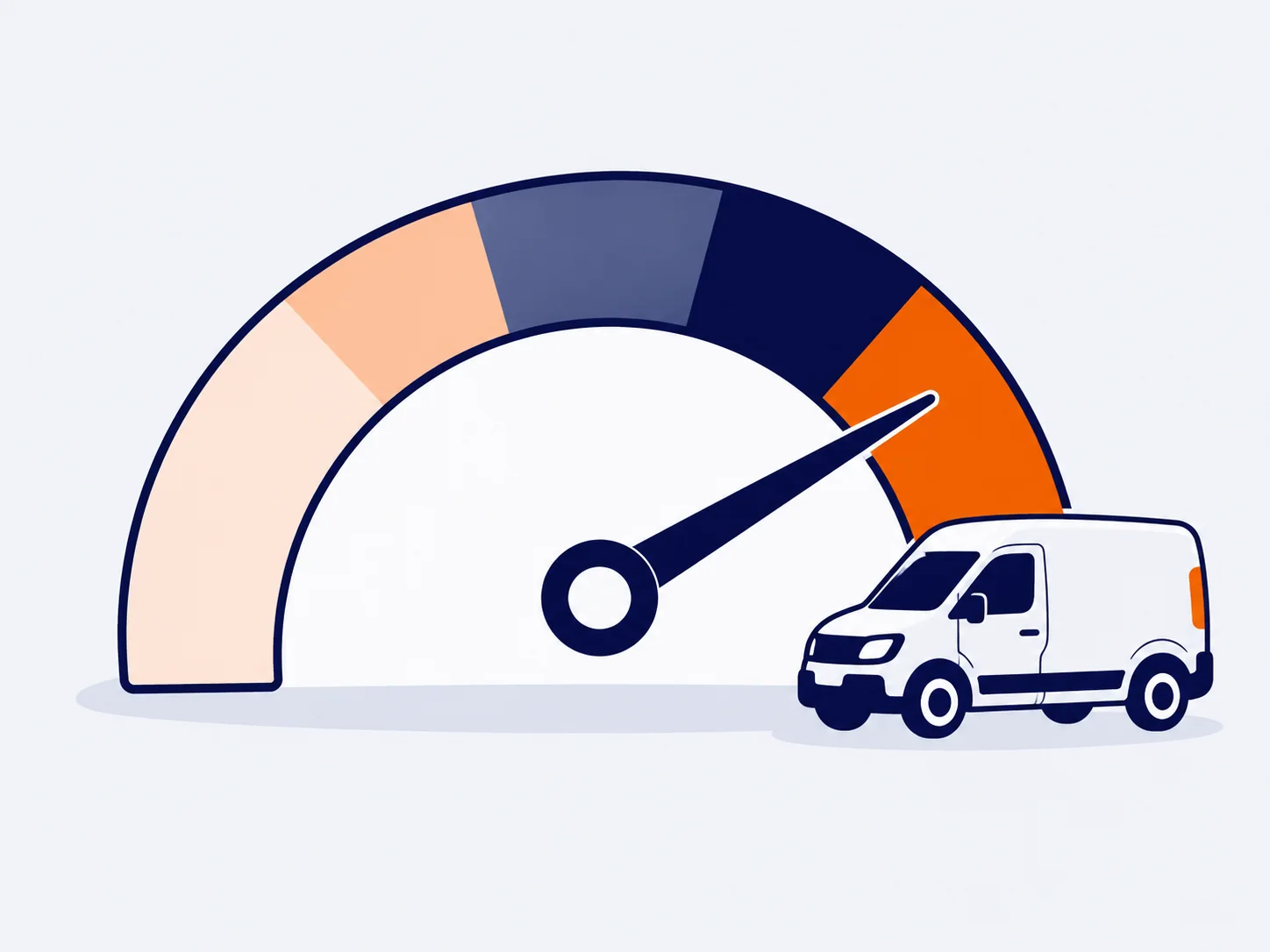
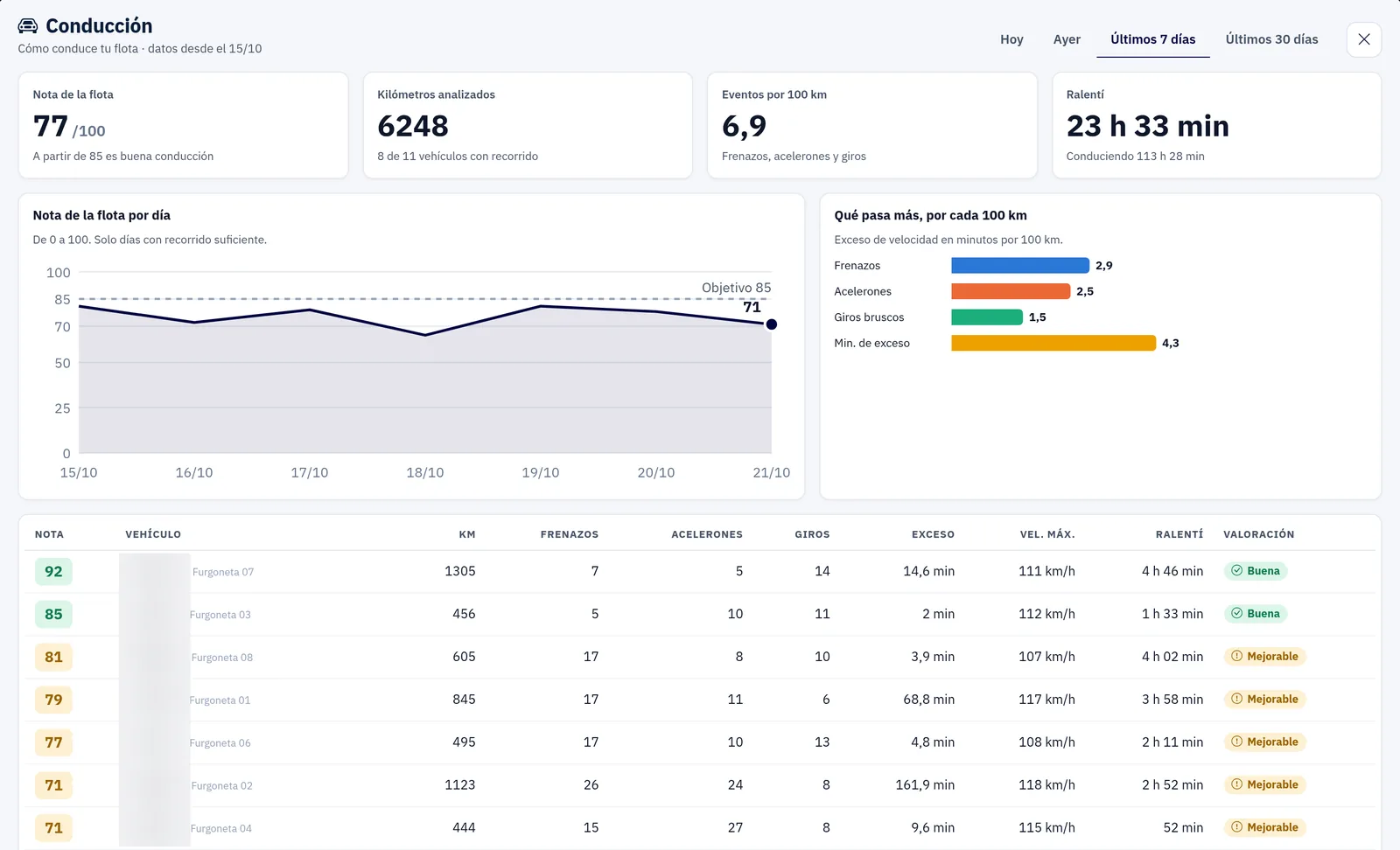
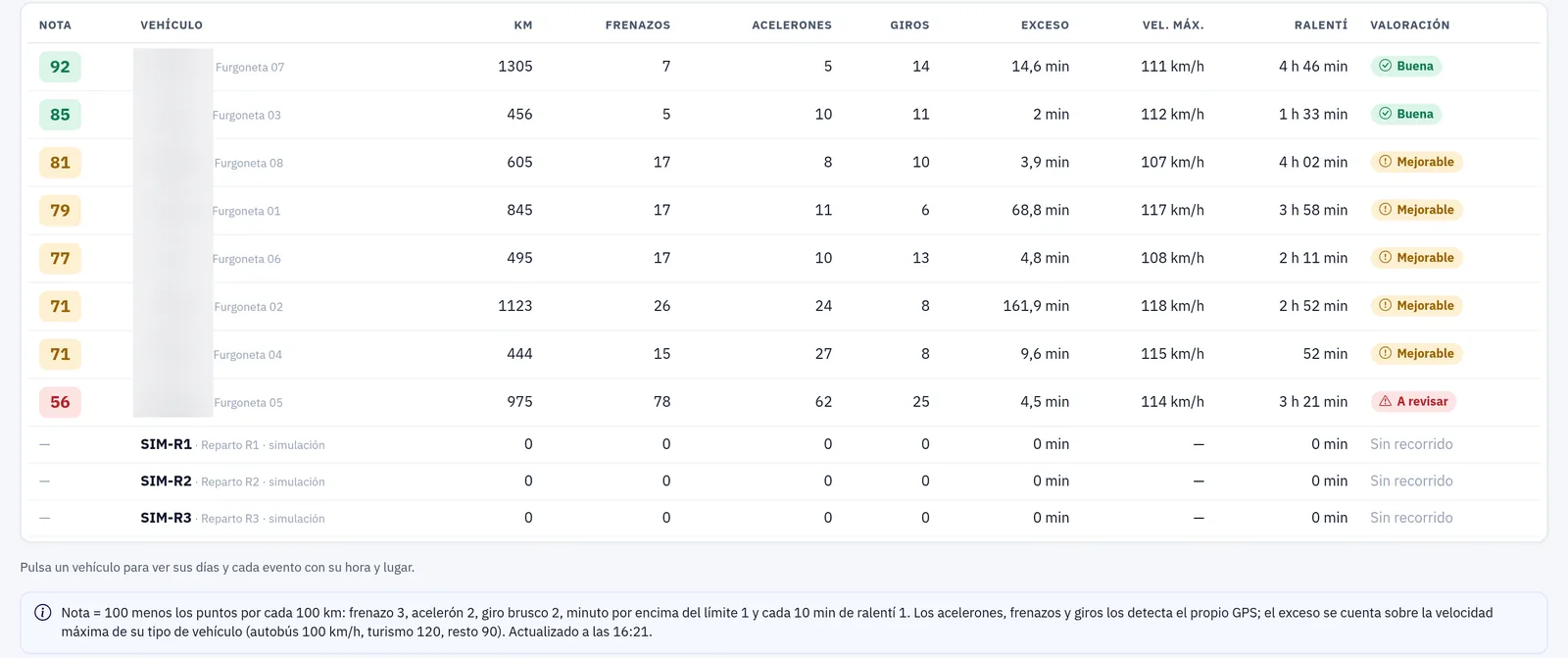
A single number to know how your fleet drives. You understand it at a glance and can track whether it improves.
Driving behaviour · Training
A score out of 100 for the whole fleet and the detail for each vehicle. Spot where to improve and act before you penalise.
Optional module
What you can do
A single number to know how your fleet drives. You understand it at a glance and can track whether it improves.
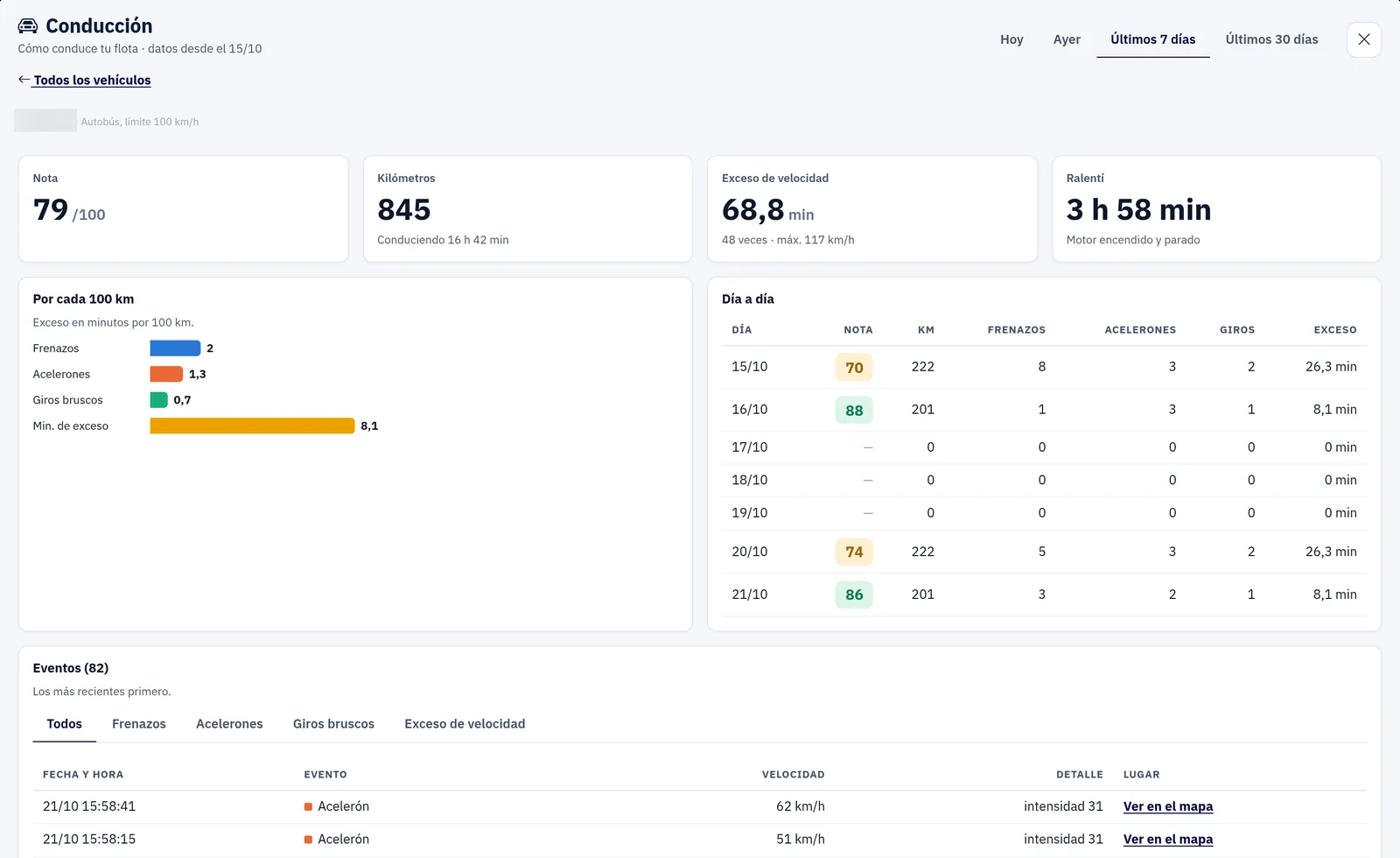
Each vehicle has its own detail, with the events that affect driving the most:
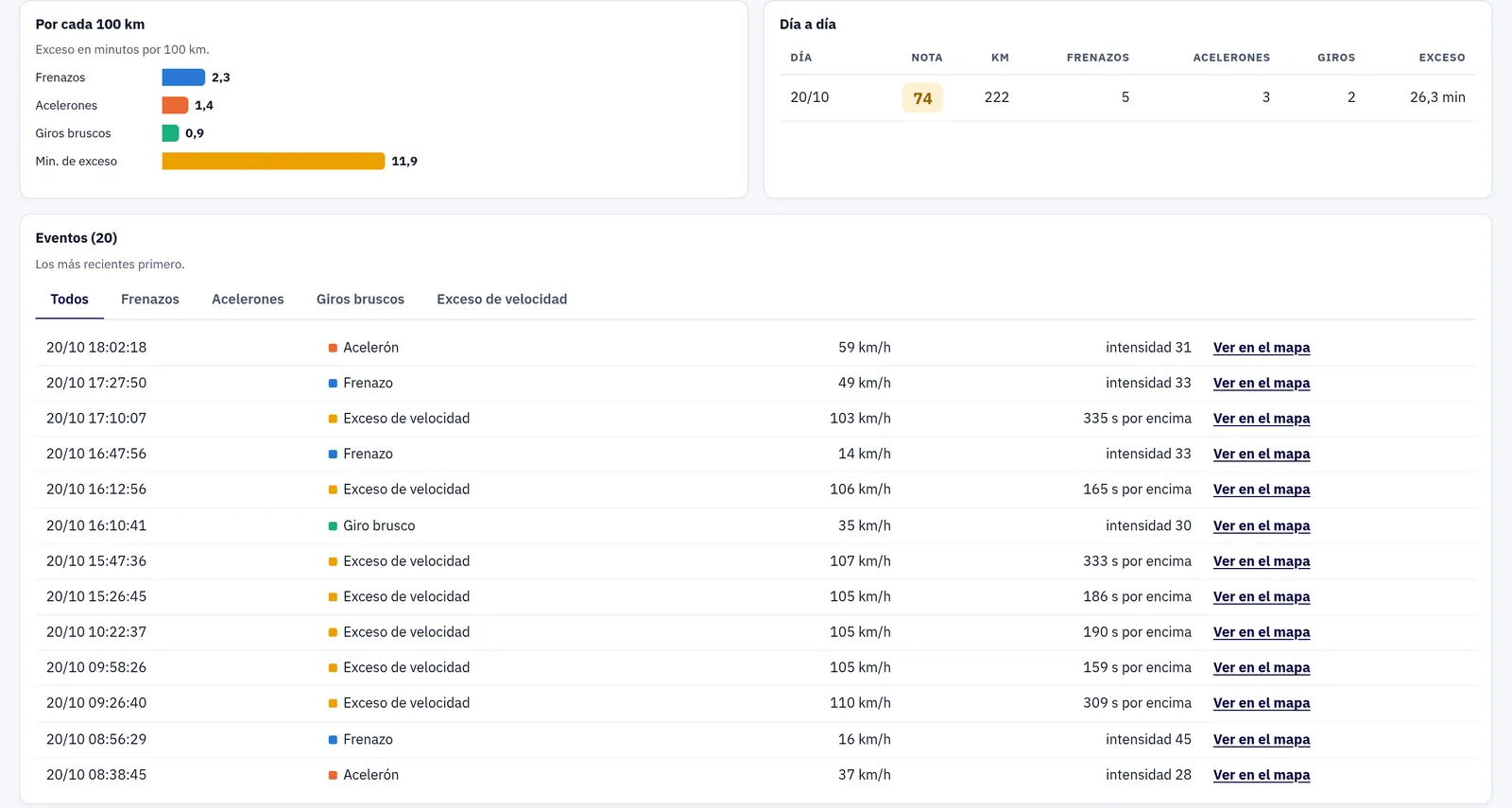
Review any day and see on the map where each harsh braking, acceleration or cornering event happened. That way you know which stretch of road needs work.
Spot who drives worst and talk to them with specific data. Training your team is how you improve driving across the whole company.
How it works
Start with the score out of 100 to see where you stand.
Open the detail of harsh braking, acceleration, cornering, speeding and idling, with the events on the map.
Talk to the drivers who need it most and track how their driving changes.
FAQs
For each vehicle: harsh braking, harsh acceleration, sharp cornering, speeding and idling.
The platform gives you a fleet score out of 100, plus the detail for each vehicle so you can see where to improve.
Yes. You can review each day with the events marked on the map.
To spot who drives worst and act through training, not just penalties.
It is an optional module. Book a demo and we’ll show it to you with your own fleet.
Contact
Ask for more information, request a free demo or get started with us.
Geofence How fast can you get your fleet under control?
Inside: 0/7Congratulations!
Fleet under control in 0 sec.
Your prize: free delivery
One use per customer in the ZonnaGPS online shop.